Move faster through your macOS workflow.

UpDock is a configurable productivity tool for macOS that gives you fast access to the apps, URLs, files, and folders you use most. Create focused mini-docks, switch contexts quickly, and keep your workspace under control.

UpDock app icon

Lightweight mini-docks for apps, files, folders, and URLs.

Mini-docks for every workflow

Create focused docks for projects, apps, files, folders, URLs, scripts, and everyday tasks.

Example UpDock mini-dock

What you get in UpDock Free

UpDock Free is designed to be useful on its own while giving you a clear path to the full UpDock experience.

Ad-Free and subscription-free

UpDock Free is useful on it's own. The only in-app purchase is the upgrade to UpDock+. UpDock Pro will be a direct download from the UpDockApp.com web page, and none of the UpDock versions have ads or require subscriptions.

Core UpDock workflow

Create and use mini-docks to reach the apps, files, folders, and URLs you use most often. Easily switch between mini-docks and configure each mini-dock to suit your user interface requirements for specific workflows.

Simple, focused setup

Start with a lighter feature set and see how UpDock fits into your daily workflow before deciding whether you need UpDock+ or Updock Pro.

Fast access

Reduce friction in your workspace by keeping the right tools at hand instead of digging through Finder windows, folders, or a crowded Dock.

Upgrade path

When you want deeper customization and the full feature set, try UpDock+ or UpDock Pro (coming soon).

UpDock in action

See how mini-docks look and work in real macOS workflows.

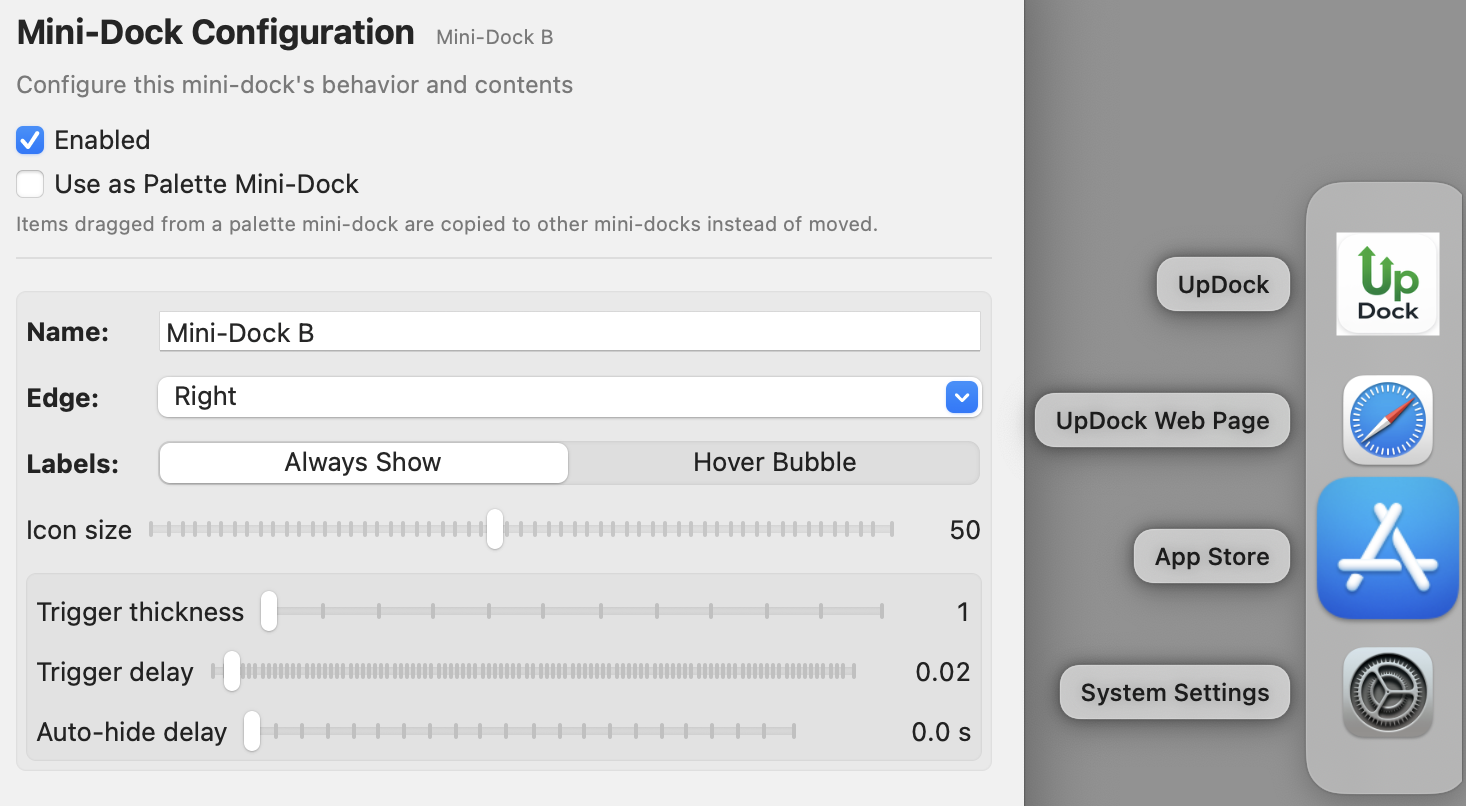
UpDock settings window showing mini-dock configuration
Configure mini-docks, items, labels, triggers, and behavior.
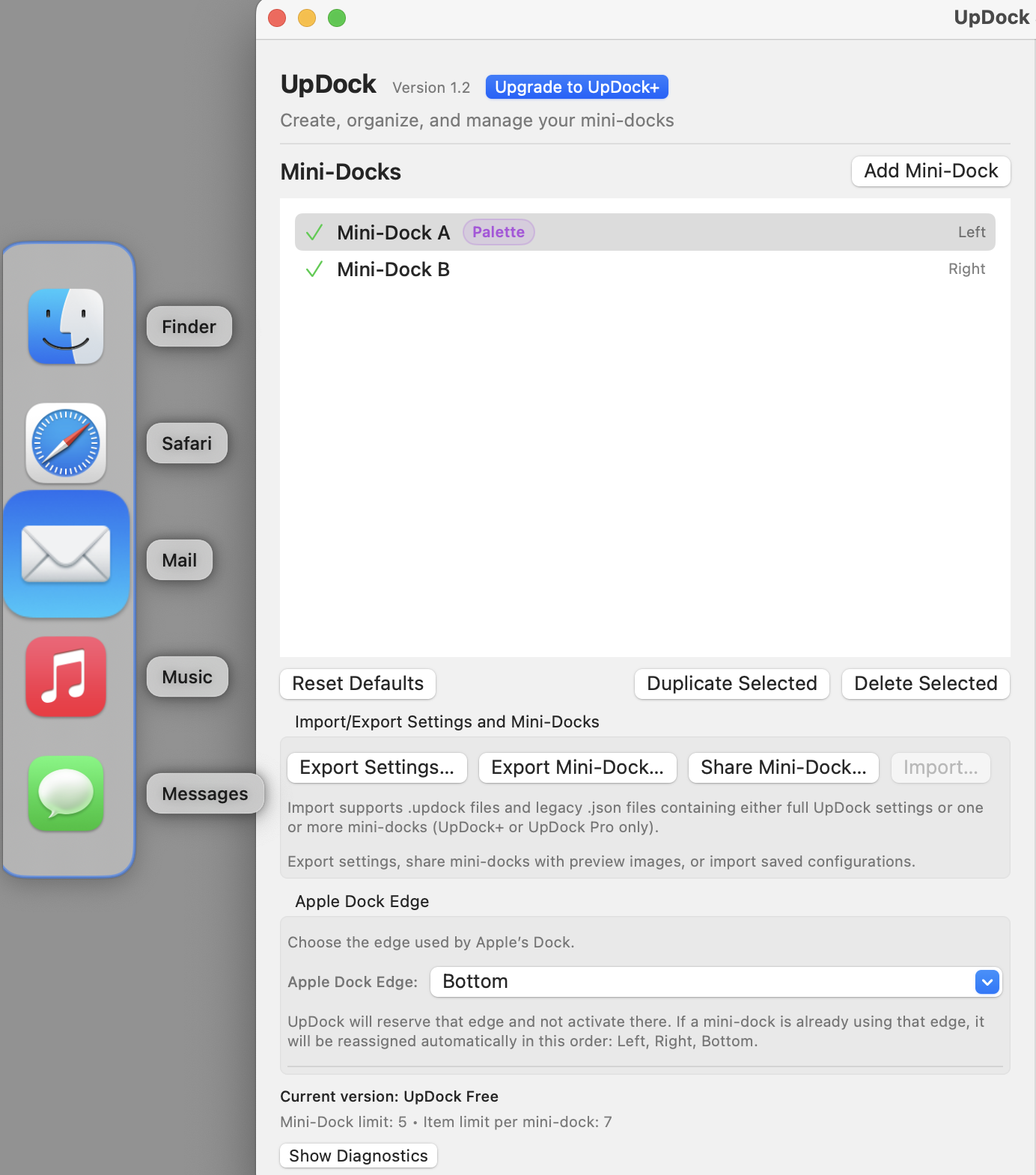
Palette mini-dock with reusable app items
Use palette mini-docks as reusable sources for other workflows.
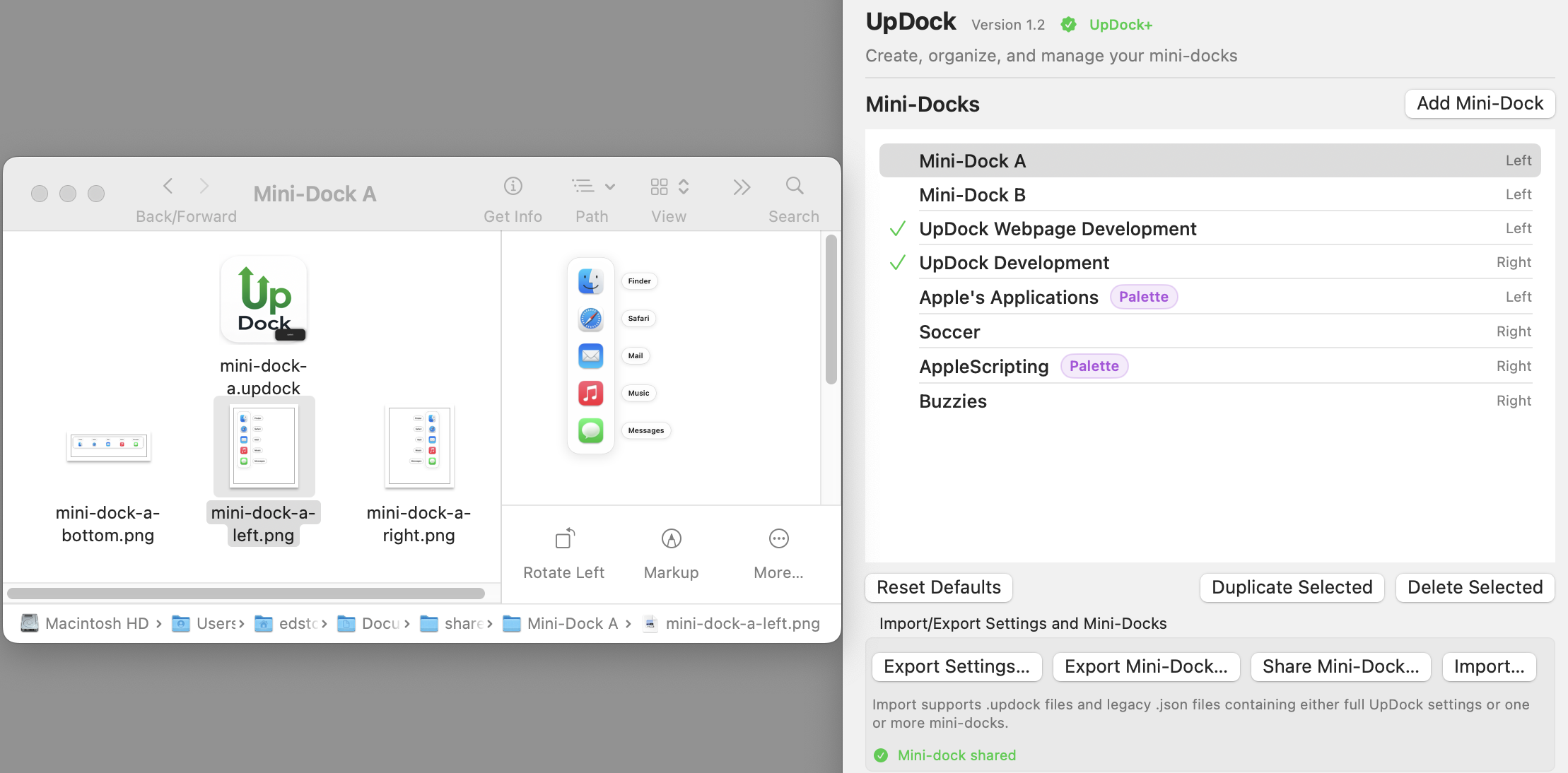
Share Mini-Dock export folder with PNG previews
Share mini-docks with preview images for left, right, and bottom layouts.

Frequently Asked Questions

Common questions about this version of UpDock.

Is UpDock Free usable on its own?

Yes. UpDock Free is meant to be genuinely useful, not just a demo. It gives you a practical way to use UpDock and decide whether UpDock+ or UpDockPro (coming soon) is worth it for your workflow.

What is the difference between UpDock Free, UpDock+ and UpDock Pro?

UpDock Free gets you started, and is useful, but limits the number of mini-docks, and items in each mini-dock. UpDock+ increases those limits allowing users to create up to 100 mini-docks and 50 mini-dock items, more than most users will ever need. UpDock Pro unlocks the full feature set, deeper customization, and the complete UpDock experience without sandbox limitations.

Can I upgrade later?

Yes. You can start with UpDock Free and begin to use it right away. UpDock Free does not expire. When you want the additional features you can upgrade to UpDock+ any time as an in-app purchase. Power users should consider UpDock Pro (coming soon).

Where do I download it?

UpDock Free is available right now at the Mac App store. UpDock+ upgrade is an in-app purchase. When available UpDock Pro will be downloaded from the UpDock web page.

Mini-docks where you want them

Keep a focused set of tools available without crowding the macOS Dock.

Example right-edge UpDock mini-dock

Start with Free. Upgrade when you need more.

UpDock Free is the easiest way to see how mini-docks can improve your workflow on macOS.

Example bottom-edge UpDock mini-dock